When your computer screen suddenly freezes while you’re using it, it can be quite stressful, and frustrating especially if you’re busy. However, immediately forcing a shutdown or yanking the power plug can lead to data loss or make the situation worse. First, take a deep breath and stay calm. Then, try the seven solutions below.
“Phishing emails” and “spam emails” — most people have heard these terms from news reports or online articles. While many are familiar with the names, more and more sophisticated phishing emails are circulating, and it’s easy to worry about falling for one. In this article, we’ll explain how even beginners can recognize phishing emails starting today!
One of the most common IT helpdesk tickets is: “My monitor suddenly stopped working…”
Especially in setups with dual monitors and docking stations, the cause is often simple and can be resolved in just a few steps. This article outlines a practical checklist used by IT professionals for resolving monitor display issues quickly and efficiently.
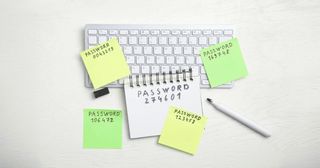
A Beginner-Friendly Guide to Password Management
Do you reuse the same password for multiple accounts? Or do you tend to choose something easy to remember? Passwords are essential keys that protect our personal and professional information. But if they’re easy for you to remember, they might also be easy for others to guess. In this article, we’ll look at how to manage passwords safely, and how to create stronger, harder-to-guess passwords — even for beginners.
After using a USB drive, you may wonder: “Can I just pull it out, or do I need to safely eject it?” The answer depends on your system and timing. Here’s a quick breakdown of what “Safely Remove Hardware” actually means and when it matters.
A Simple Explanation of a Common IT Term: “Server.” You’ve probably heard the word many times, but when someone asks, “Can you explain what it is?” — many people find themselves at a loss for words. In this article, we’ll give a gentle and beginner-friendly explanation of the term “server,” which you might know the sound of, but not fully understand.
You copy some text, paste, then copy some more, but the first text is gone and you’re wishing you could get it back. Everyone has had that moment, usually about two seconds after what you needed has vanished.
In day-to-day IT support, situations often come up like:
“I normally work with a standard user account, but sometimes I need admin rights to uninstall drivers or access admin web consoles.” Logging off and switching accounts every time is tedious. That’s where the built-in Windows runas command comes in handy. It lets you run programs using an admin account only when needed, without changing your main login.
You want to move a batch of files from one folder to another, so you open a second File Explorer window, drag it into position next to the first, and hope you drop the files in the right place. File Explorer handles this, but it doesn’t make it easy.