Getting more out of Windows, from features people miss to habits that save time every day. Screenshots without extra software, clipboard history beyond Win + V, what actually changed after the Windows 11 upgrade, whether it is safe to pull out a USB drive, and what Copilot does to your machine's performance.
“All I wanted was to show part of my screen, but I fumbled with the tools again.” Have you ever had that moment? Taking screenshots is one of the most common tasks in the workplace, but the best method actually depends on your purpose. Here, we compare 3 useful screenshot methods on Windows and explain when each one shines.
Many people have likely upgraded their company PCs to Windows 11 or replaced their home computers, as support for Microsoft Windows 10 will end on October 14, 2025. Since I work in IT support, I wanted to get familiar with Windows 11 before our users did, so I completed the upgrade around last summer. After using it for about a year, I personally feel that the UI is easier to navigate and that it includes many useful new features. In this article, I’ll briefly introduce some of the convenient features in Windows 11.
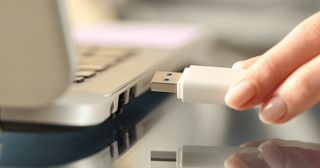
After using a USB drive, you may wonder: “Can I just pull it out, or do I need to safely eject it?” The answer depends on your system and timing. Here’s a quick breakdown of what “Safely Remove Hardware” actually means and when it matters.
You copy some text, paste, then copy some more, but the first text is gone and you’re wishing you could get it back. Everyone has had that moment, usually about two seconds after what you needed has vanished.
In day-to-day IT support, situations often come up like:
“I normally work with a standard user account, but sometimes I need admin rights to uninstall drivers or access admin web consoles.” Logging off and switching accounts every time is tedious. That’s where the built-in Windows runas command comes in handy. It lets you run programs using an admin account only when needed, without changing your main login.
You want to move a batch of files from one folder to another, so you open a second File Explorer window, drag it into position next to the first, and hope you drop the files in the right place. File Explorer handles this, but it doesn’t make it easy.