On the night of 2026-10-21, Prime Minister Sanae Takaichi posted on X urging site operators to apply a PHP fix as soon as possible. If that’s difficult, she said, temporarily taking a website offline is one effective way to reduce the risk. A prime minister weighing in on a programming language patch is unusual, and it tells you how serious this one is.
You want to move a batch of files from one folder to another, so you open a second File Explorer window, drag it into position next to the first, and hope you drop the files in the right place. File Explorer handles this, but it doesn’t make it easy.
Since the pandemic, working from home has become the new normal. Without commuting, many people feel they have more time and find it easier to maintain a healthy work-life balance, which can even boost motivation. On the other hand, remote work often brings new challenges: eye strain, shoulder and back pain, lack of focus, and feeling overwhelmed by too much information—what we might call “digital fatigue.” In this article, I’ll share some practical IT-based tips to help you create a comfortable, “fatigue-free” work-from-home environment.
Have you ever opened an email attachment without thinking twice? Files labeled “Invoice”, “Report”, or “Meeting materials” may look routine — but some are cleverly disguised traps that can cause system failures or data breaches. This post highlights two common threats in corporate environments: ZIP bombs and macro viruses.
In day-to-day IT support, situations often come up like:
“I normally work with a standard user account, but sometimes I need admin rights to uninstall drivers or access admin web consoles.” Logging off and switching accounts every time is tedious. That’s where the built-in Windows runas command comes in handy. It lets you run programs using an admin account only when needed, without changing your main login.
The keyboard we use every day without a second thought. While we take typing for granted, haven’t you ever wondered, “Why are the keys arranged this way?” or “What are the F1 to F12 keys for?” or “What exactly is the Fn key?” This time, let’s explore how the keyboard layout evolved into its current form and delve into the roles of the function keys and the Fn key.
You copy some text, paste, then copy some more, but the first text is gone and you’re wishing you could get it back. Everyone has had that moment, usually about two seconds after what you needed has vanished.
In business environments, it’s not uncommon to run into situations where a PC doesn’t automatically restart after a Windows update, or remains powered off after a power outage. This can become a real problem, especially for PCs used for remote access or unattended operations like surveillance or server-related tasks. In this article, we’ll walk you through how to configure the BIOS setting on Dell Optiplex PCs (e.g., 7060) so that the system will automatically power on after power is restored.
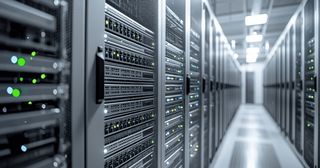
A Simple Explanation of a Common IT Term: “Server.” You’ve probably heard the word many times, but when someone asks, “Can you explain what it is?” — many people find themselves at a loss for words. In this article, we’ll give a gentle and beginner-friendly explanation of the term “server,” which you might know the sound of, but not fully understand.
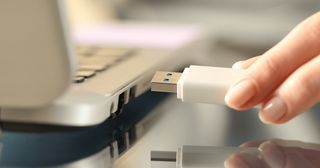
After using a USB drive, you may wonder: “Can I just pull it out, or do I need to safely eject it?” The answer depends on your system and timing. Here’s a quick breakdown of what “Safely Remove Hardware” actually means and when it matters.